Private Registries
Let Outpost check and pull images that need a login by adding a sign-in for each private registry on the Settings page.
Why Use Registry Sign-ins?
- Lets Outpost update containers built from private images on Docker Hub, GHCR, or your own registry.
- Raises the rate limits some registries apply to anonymous lookups so busy hosts don't get throttled.
- Keeps each password sealed in Outpost's database so it never sits in your Compose file or a mounted file.
Add a Sign-in
- Open Settings and find Private registries.
- Select Add registry.
- Enter the registry host in Registry, your Username, and a password or registry access token in Password.
- Select Add registry to save it.
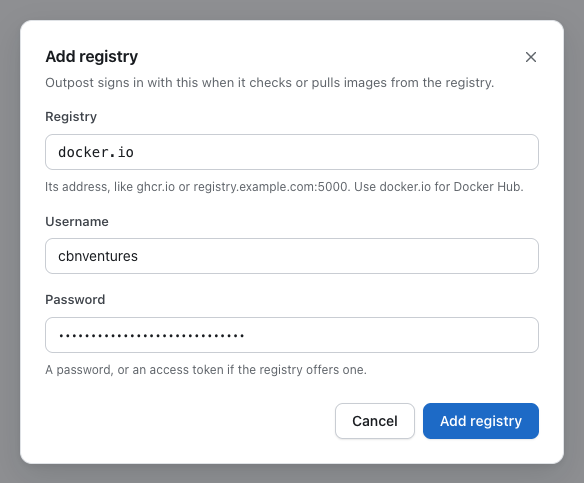
Outpost uses the sign-in from the next cycle, without a restart. Each registry host can have one sign-in, so a second one for the same host is refused.
tip
It is recommended to use a registry access token with read-only access, such as a Docker Hub personal access token or a GitHub token with the read:packages scope, instead of your account password.
Registry Hosts
Enter the host from your image names, with its port when it has one. Outpost saves it in lowercase without a leading https:// or a path, so a pasted address such as https://ghcr.io/ works too.
| Image | Registry |
|---|---|
nginx:1.27, grafana/grafana:11 | docker.io |
ghcr.io/your-org/app:1.4 | ghcr.io |
registry.example.com:5000/team/app:1.4 | registry.example.com:5000 |
Docker Hub's other names, index.docker.io, registry-1.docker.io, and https://index.docker.io/v1/, are all saved as docker.io. Images without a registry host in their name come from Docker Hub and use that sign-in.
Edit or Remove a Sign-in
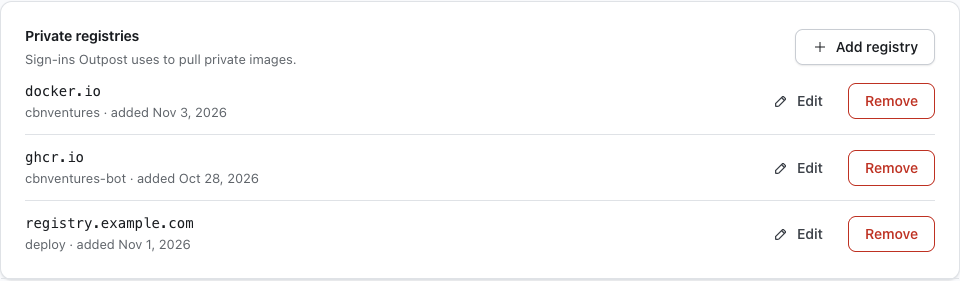
- Edit — Changes the host or the username. Leave Password blank to keep the saved one, or enter a new one to replace it.
- Remove — Asks to confirm in a dialog, then deletes the sign-in, so Outpost checks that registry without a login from the next cycle.
How the Password Is Kept
- Sealed in
/data— The password is encrypted with the encryption key and stored in the database in the data directory, like the other saved secrets. Neither the dashboard nor the API shows it again. - Dashboard only — Only a signed-in browser session can list or change sign-ins. Access tokens can't reach them.
- Lost encryption key — If Outpost starts without its encryption key, it removes each saved registry password but keeps the host and username. Until you enter the password again from the Saved secrets were removed notice, Outpost checks that registry without a login.
How the Sign-in Is Used
- Digest lookups — Outpost uses the sign-in to answer the registry's sign-in challenge when it asks for the remote digest.
- Pulls — The same sign-in is passed to Docker when a new image is pulled.
Outpost doesn't read Docker's config.json, so a docker login on the host or a credential helper such as credsStore has no effect. Add the same login here instead.