Access Tokens
Create an access token for each script or app that calls Outpost, and edit or revoke it on the dashboard whenever you need to.
Why Use Separate Tokens?
- Gives each client only the scopes it needs so a metrics scraper can't start updates.
- Lets you revoke one client without affecting the others.
- Shows when each token was last used so unused ones are easy to spot.
- Ends temporary access on its own when you set an expiry.
Create a Token
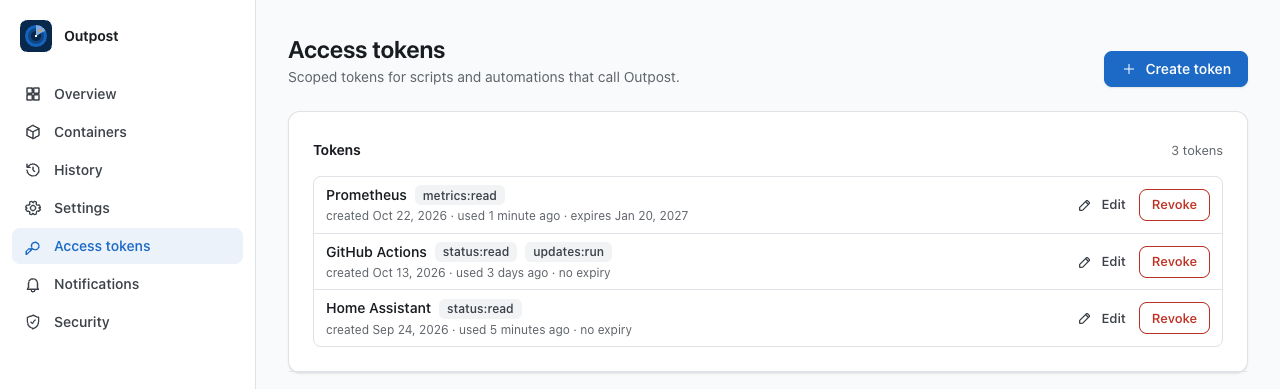
- Open Access tokens and select Create token.
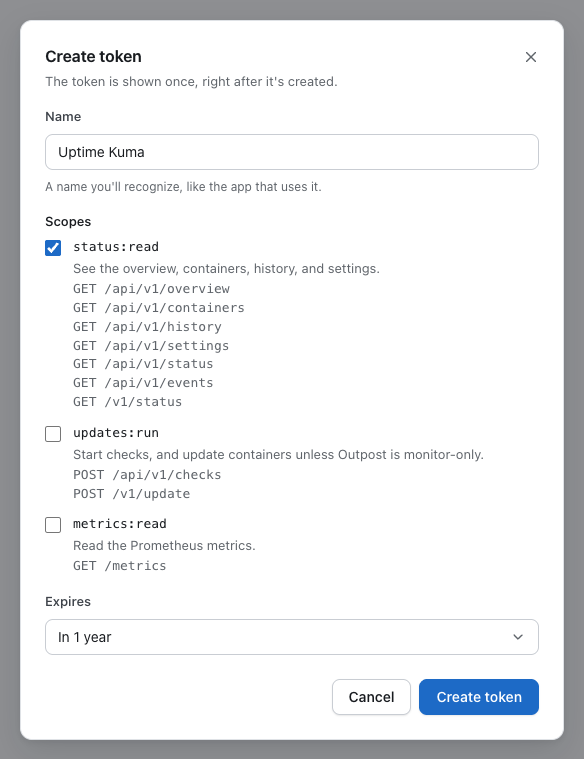
- Enter a Name you'll recognize, like the app that uses it, up to 80 characters. Each token needs its own name, and names that differ only in letter case count as the same.
- Under Scopes, choose what the client can do. Each one lists the paths it opens.
status:read— See the overview, containers, history, and settings.updates:run— Start checks, and update containers unless Outpost is monitor-only.metrics:read— Read the Prometheus metrics.
- Under Expires, choose Never, In 30 days, In 90 days, or In 1 year.
- Select Create token.
Store the Token Once
The new token appears once, at the top of Access tokens, under Token for and its name.
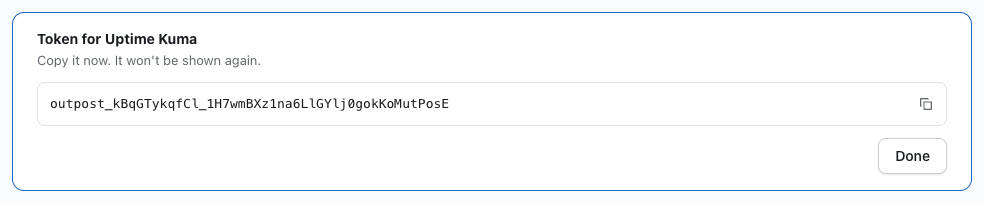
- Select the copy button next to the token, and save it where the client keeps its secrets.
- Select Done.
Outpost keeps only a hash of the token, so it can't show it again. If you lose a token, create a new one and revoke the old one.
A token is outpost_ followed by 43 letters, numbers, dashes, and underscores. Clients send it in the Authorization header as Bearer outpost_….
Edit a Token
- Edit changes a token's name, scopes, and expiry, and the token's value stays the same. Changes apply to the client's next request.
- Under Expires, Keep and the current date leave the expiry as it is, and Never removes it.
Revoke a Token
Select Revoke, then Revoke again to confirm. The token is deleted, clients using it are refused on their next request, and its name is free to use again.
Rotate a Token
- Create a replacement with a new name and the same scopes.
- Update the client and check that one request works.
- Revoke the old token.
Expired Tokens
An expired token stays in the list, marked as expired, and requests that use it are refused. Edit it to set a new expiry, or revoke it.
Calling the API
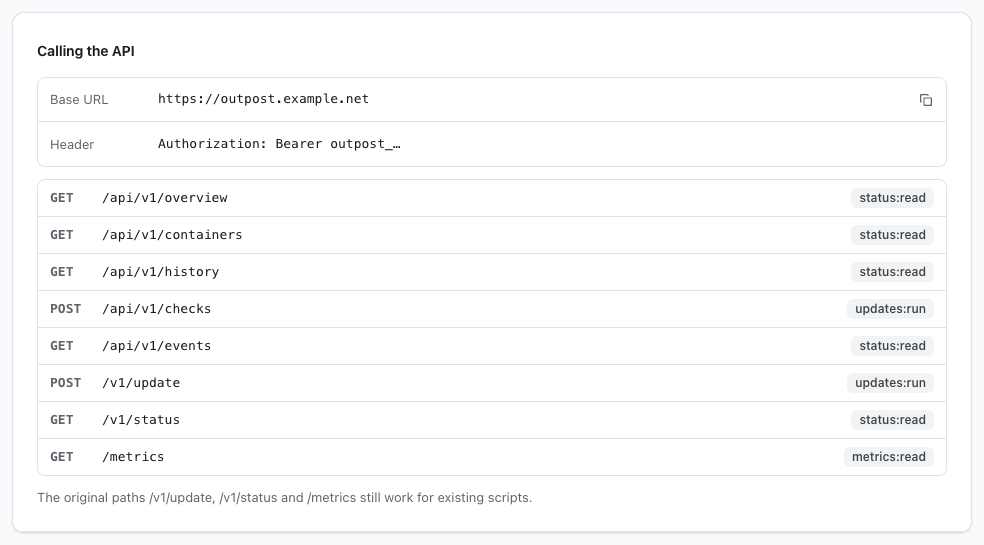
The Calling the API section shows the address clients call, the Authorization header they send, and each path with the scope it needs. Select the copy button next to Base URL to copy the address the dashboard is open at.
To test a token, ask Outpost which token is calling, with the token in the OUTPOST_TOKEN shell variable:
curl --header "Authorization: Bearer $OUTPOST_TOKEN" http://127.0.0.1:22601/api/v1/auth/me
The reply holds the token's name and scopes. See HTTP API and Metrics for every route.
info
An access token can't sign in to the dashboard or change tokens, passwords, sign-in methods, or notification destinations. Those need a browser sign-in, so a leaked token can't make more tokens or redirect alerts.